Repair360 Auto: a modern site inside a Wix panel.
The brief that's secretly an engineering problem. The client had a working Wix setup (booking app, email, business listings all wired to that account) and no interest in re-platforming. They wanted a better visitor experience without uprooting a back office that already worked. The lazy answer is “migrate to a real stack.” The right answer is to meet them where they are and make a modern front-end behave correctly inside the host they already trust.
“Heyo! Ryan from 360 Auto here. Our website was in shambles and Wes was able to redesign it and brought up the calls and car count from 20-30 up to 40-50 a week. He treated our website like his own and really knocked it out of the park.”
Ryan, owner · 360 Auto · Port Orchard, WA
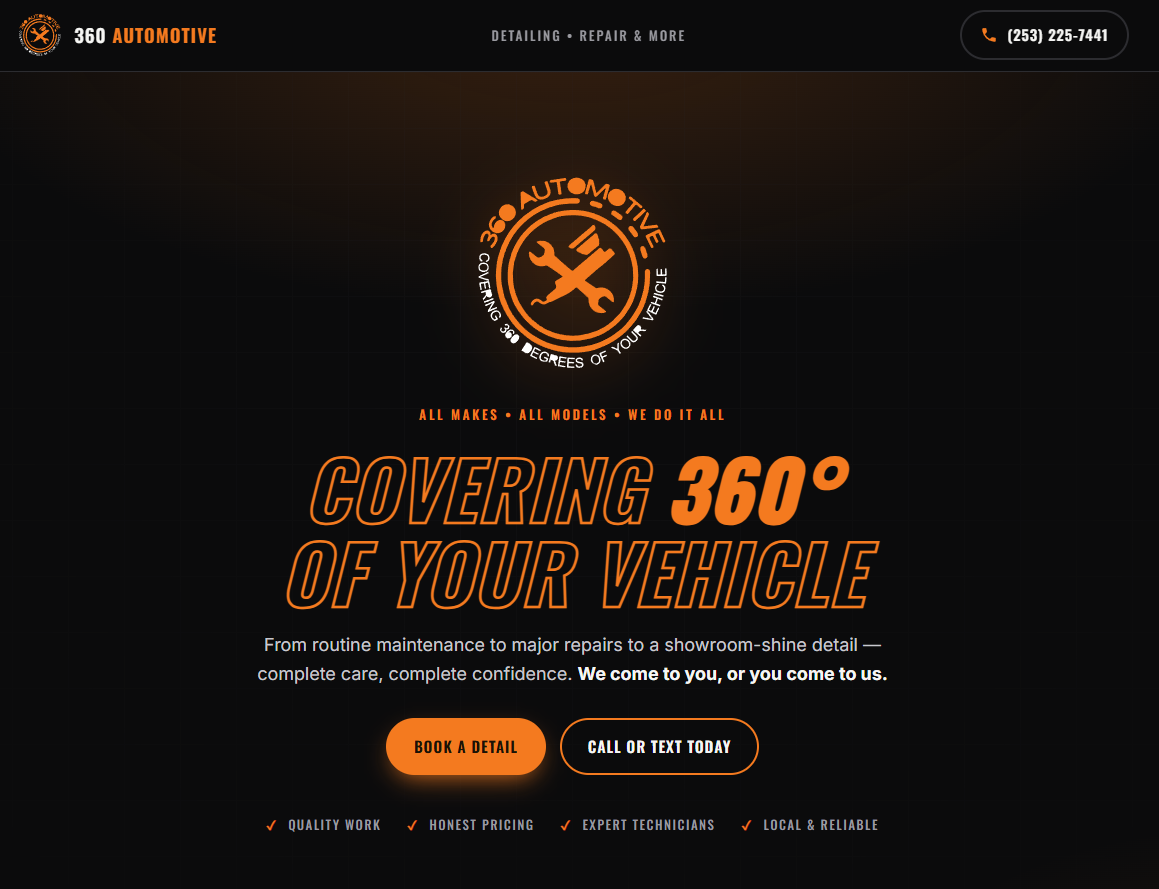
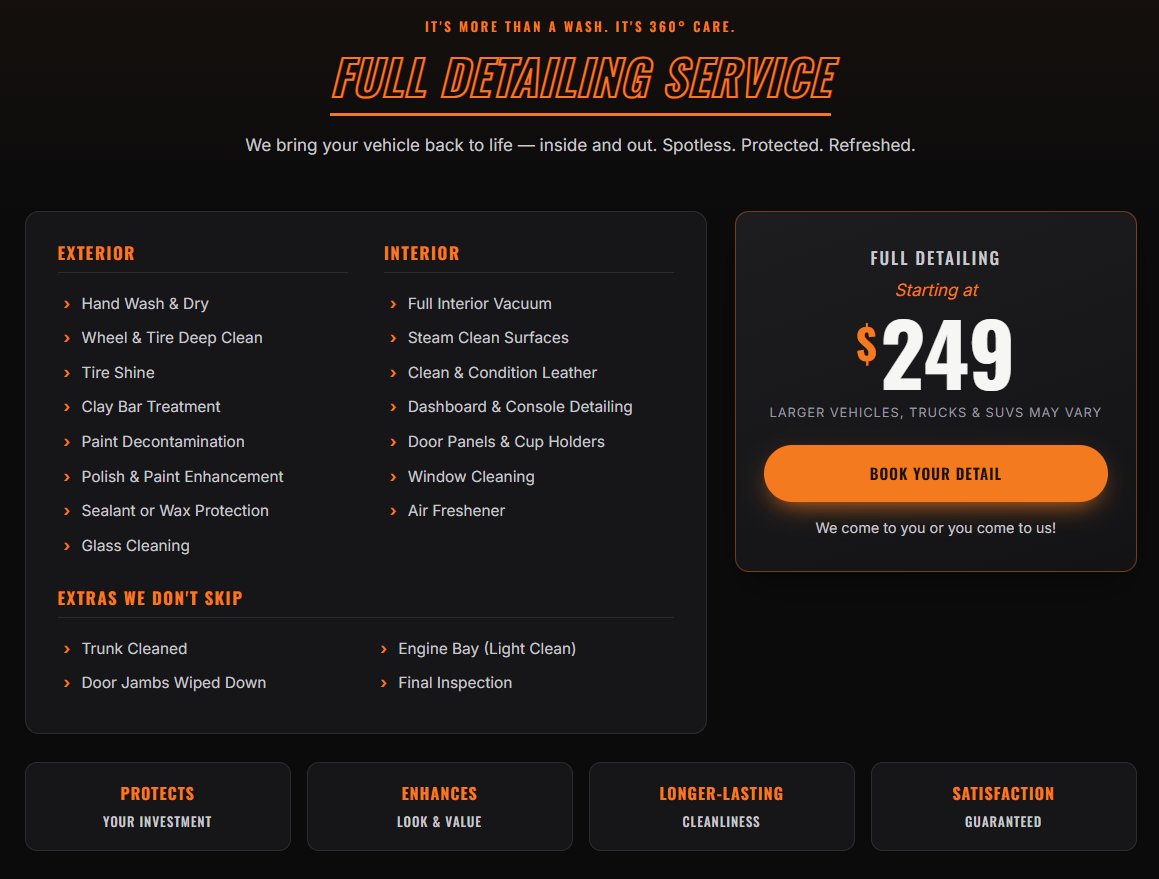
A brand with no brand guide.
The deliverable I was handed was three social-media flyers and a logo. No palette, no type spec, no copy deck, no component library, just the raw artwork the client already had. So before I could build the page I had to reverse-engineer the brand from the artwork: extract the orange #F47A1F against near-black, identify the condensed-bold display face used in the headers and the outlined-italic title treatment, and turn it all into a cohesive responsive single-pager with real structure (services, detailing package, value props, contact).
The output is a brand that reads consistent across every section because the inputs were normalised first; the page just expresses a system that didn't formally exist before.
A muddy JPEG with a baked-in black background.
The supplied logo was a JPEG, not an SVG, and it had a baked-in black background, lossy compression artefacts around every edge and no transparency, so it sat in an ugly opaque box on a dark page.
The fix was two passes. First, key the black out to recover a clean transparent PNG, treating the image as premultiplied-over-black so the alpha channel could be extracted properly rather than hard-edge keying every pixel. Then vectorise to SVG: posterise the result to flat brand colours to kill the JPEG noise, trace the shapes, and strip the background. The final logo is razor-sharp from a 16 px favicon to a billboard, and lives inline in the HTML so there isn't even a separate asset request to fail.
One self-contained file, no framework, no build step.
The whole front-end ships as a single self-contained HTML file, CSS and JS inlined, logo embedded as inline SVG, fonts from a CDN, and gets dropped into a Wix HTML/Iframe panel. No React, no Vue, no bundler, no build step. About 160 KB, paste-anywhere, framework-free.
That's a stronger answer for an embed than React would have been. The framework runtime would have been pure tax, the page has no state to model, no client-side routing, no re-render cycle. Mobile-first CSS handles the responsiveness; the panel is sized to fit the content.
One known limitation worth naming: an iframe's in-page anchor nav can't scroll its parent, so I dropped the section links for a tagline and routed the primary CTA straight to the client's external booking app in a new tab. The pragmatic call beat the clever one.
The paste corrupted every non-ASCII character.
First paste into Wix came out full of garbage characters, em dashes, degree signs, and icons all corrupted. The root cause wasn't in the code; it was in the delivery pipeline. PowerShell was reading a UTF-8 file as Windows-1252 on its way to the clipboard, so every multi-byte UTF-8 sequence was being interpreted one byte at a time. The tell was that the clipboard's character count exactly equalled the file's byte count, a giveaway that the encoding step had collapsed.
The fix wasn't to harden the pipeline, I don't own the Wix paste path. The fix was to make the artefact immune to its own delivery: compile the entire embed to pure ASCII. HTML numeric entities in the markup, unicode escapes in the CSS, so no encoding step in PowerShell, the clipboard, or Wix can corrupt it again. Robust to a channel I don't control.
Pixel-perfect in the frame, invisible to Google.
This is the one most builders miss, and it's the most consequential for a small business. An embed has a hidden cost: content inside an iframe is a separate document, and Google doesn't credit it to the host page. I audited the live site the way a crawler sees it and the worst case was confirmed, the host page had zero headings, no body text, a default Home | 360 Automotive title, no meta description. Pixel-perfect inside the frame, invisible to search outside it.
Fixing it didn't require leaving Wix. The substantive, visible content went into native host elements, an H1, the service list, and the full name/address/phone (the NAP triple every local-search algorithm wants), and the host page got AutoRepair JSON-LD structured data plus a real title and meta description. The site went from invisible-to-Google to fully crawlable, same host, same design, dramatically different findability.
A trimmed version of the JSON-LD block that lives in the host page's <head>:
Staying on their no-code host was the right call
A client who's productive on Wix isn't wrong to stay there. A custom front-end inside their host is usually cheaper, faster, and lower-risk than a migration.
An embed can be invisible to search
An embedded site can be pixel-perfect and still get zero search traffic, because the frame doesn't carry your SEO. Check what a crawler actually sees, then fix it natively in the host: headings, NAP, structured data.
The delivery channel can corrupt the file
A file that's correct in your editor can be mangled by whatever carries it. When you don't control the pipe, ship something it can't break, pure ASCII travels everywhere intact.
Don't over-engineer what doesn't need it
Manual full-height panel sizing and a tagline instead of a nav held up fine. I spent the effort where it mattered, encoding, SEO, brand consistency, not on machinery the project didn't need.